Release v1.4.4 · The Modern Roblox RAM & Launcher

Roblox Account Manager & Launcher

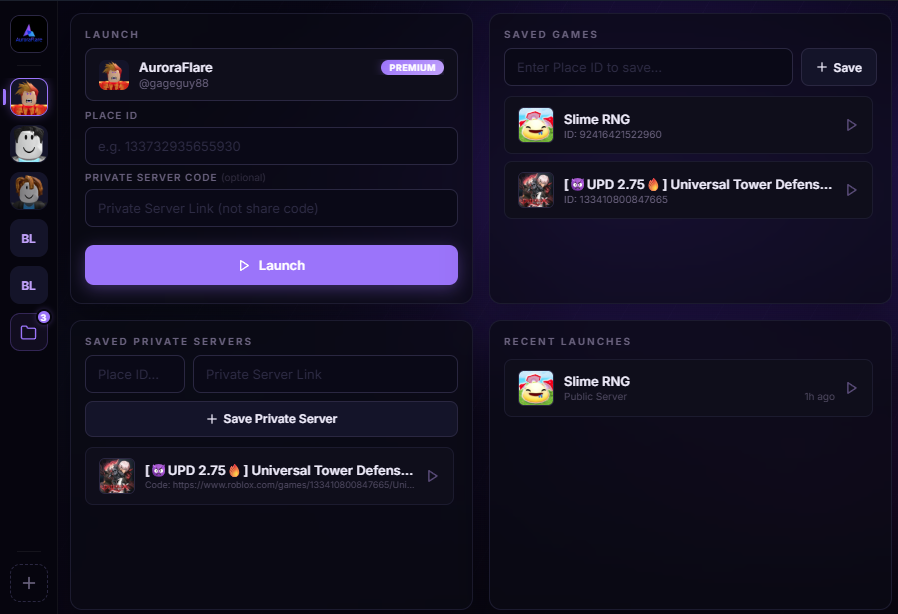
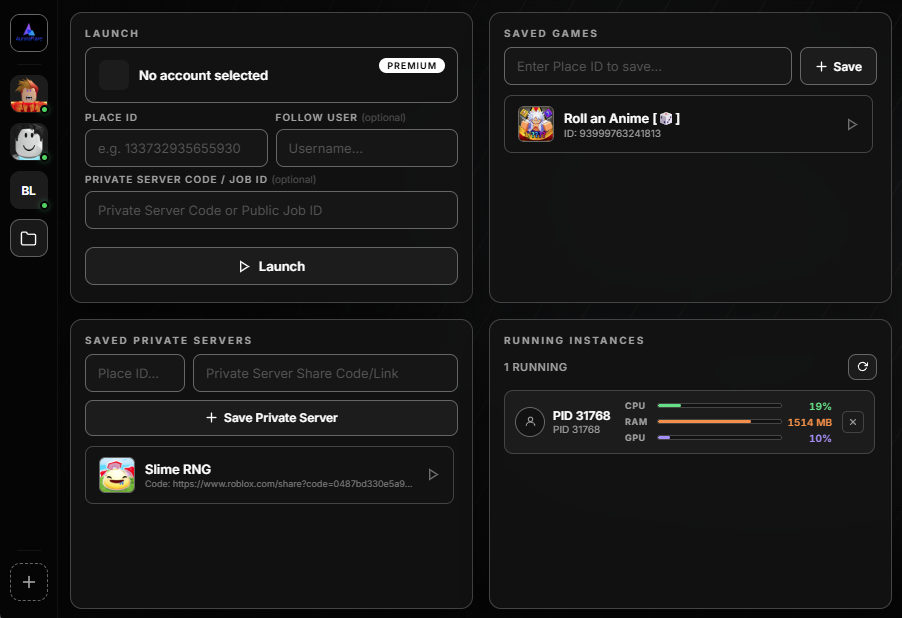
Launch and manage Multiple Roblox accounts at the same time. The lightweight, secure alternative to classic Roblox RAM with hardware DPAPI encryption, Place ID launching, and background FPS limits.

Download BloxMulti
Lightweight Portable (~1.4 MB)
Zero Memory Injection
Hardware DPAPI Encrypted
Unlimited Accounts
Organized in isolated DPAPI token vaults
Multiple Roblox Engine
Automated Win32 Mutex handle unlock
XML FPS Limiter
Individual background throttle down to 5 FPS
12,000+ Active Downloads
Community trusted across Windows

Technical Specifications & Safety Model

Binary Size ~1.4 MB Zero-dependency C++ backend with Edge WebView2 frontend.
Engine Safety 0% Memory Injection Zero DLL injection or game memory alteration. 100% external OS Mutex control.
Credential Encryption Windows DPAPI Encrypted locally with CryptProtectData using machine hardware keys.
Supported Environments Windows 10 & 11 Compatible with 64-bit Windows installations and native Roblox clients.

Built for Multiple Roblox & Account Automation

CORE ENGINE

Multiple Roblox Engine

Automatically neutralizes singleton Mutex and Event handles upon client launch, allowing you to run Multiple Roblox accounts smoothly without the standard single-instance disconnect error.

PERFORMANCE

Per-Account & Global FPS Limiter

Directly configures Roblox XML settings files. Throttle idle background alt accounts down to 5–10 FPS to preserve GPU and CPU bandwidth while keeping your main client at uncapped refresh rates.

SECURITY

DPAPI Hardware Vault

Saved account authentication cookies are secured via Windows CryptProtectData bound to your specific device. Credentials remain entirely on your local PC and never touch third-party databases.

PREMIUM

Discord Webhook Gateway

Receive instant webhook alerts when accounts disconnect, reconnect, or teleport into servers, paired with automatic high-resolution window screenshots and offline delivery queues.

PREMIUM

Window Layout Arranger

Snap and arrange game clients across multiple monitors on a customizable grid canvas. Every instance remembers its assigned screen, coordinates, and pixel dimensions automatically.

PREMIUM

P2P Remote Screen Streaming

Secure peer-to-peer WebRTC video streaming allows you to check in on active game sessions from any browser, phone, or tablet without routing through third-party video storage servers.

Upgrade Options & Plans

Standard
$0
Free forever for casual multi-accounting
  • ✓ Unlimited simultaneous Roblox accounts
  • ✓ Global framerate cap configuration
  • ✓ Place ID & Job ID quick-launching
  • ✓ Saved servers & game bookmarks
  • ✓ Local DPAPI hardware encryption
Download Free
Lifetime License
$15 one-time
Pay once, own all future updates forever
  • ✓ All Premium features unlocked
  • ✓ One-time payment with no recurring fees
  • ✓ Lifetime license linked to your account

Frequently Asked Questions

What is BloxMulti and how does it compare to Roblox RAM? ▼
BloxMulti is a modern Roblox Account Manager (RAM) and custom launcher designed for Windows. While older tools often rely on plain-text storage or complex manual Mutex management, BloxMulti provides a sleek interface, hardware-level Windows DPAPI token encryption, automatic Mutex unlocks for Multiple Roblox sessions, and XML-based per-account FPS limiting.
How do I launch and play Multiple Roblox accounts on one PC? ▼
Normally, Roblox uses a singleton Mutex handle to prevent more than one game client from opening. BloxMulti handles this automatically by releasing the single-instance Mutex handle before subsequent client windows launch, letting you play Multiple Roblox accounts simultaneously with independent accounts.
Can BloxMulti be used as a Place ID Roblox Launcher? ▼
Yes. BloxMulti features a built-in launcher that allows you to launch specific Place IDs, Job IDs, and VIP server links with any selected account directly from your dashboard.
Is using BloxMulti safe? Can I get banned? ▼
BloxMulti does not inject code into the Roblox game engine or modify in-game memory. It operates purely at the Windows OS level by managing process handles and configuration files externally.
Where are my account passwords and login tokens stored? ▼
Your login credentials and cookies never leave your device in plain text. BloxMulti encrypts all account session tokens locally using the Windows Data Protection API (DPAPI), binding encryption directly to your local Windows user hardware profile.
Windows 10 / 11 · Portable Executable
Download BloxMulti v1.4.4
SHA-256 Verified · Clean VirusTotal Scan · ~1.4 MB Portable