v1.3.4 - Improved Security For Roblox Accounts, Bug Fixes & More!

Roblox Account Manager

Launch and manage multiple Roblox accounts at the same time, each with its own isolated session. Customize your dashboard with an open, closable, and fully reorderable tab bar, organize accounts, and monitor performance.

Fast & Light (~1.4 MB)
No Installer Required
Windows 10 & 11 Compatible
Unlimited Accounts
Save and switch between active sessions
Multi-Instance Support
Launch multiple Roblox windows at the same time
Global FPS Limiter
Tune framerate caps inside your XML configuration files
0+ Downloads
Join users running multiple clients daily

Built for multi-account automation

Multi-Instance Support
Run multiple Roblox game windows at the same time with a smooth and reliable experience. Easily switch between accounts, or play across several sessions without constantly reopening the client.
Secure Local Switching
Store multiple profiles. Session cookies are encrypted locally on your hard drive using Windows DPAPI encryption keys to protect your data.
Global FPS Limiter
Writes limits straight into local XML settings. Regulate client rendering to optimize hardware cycles and lower system heat.
Cloud Backup & Sync
Link Google accounts to export encrypted local backups to your drive. Restores configurations, account profiles, and layouts across devices.
Isolated Browser Sessions
Launches individual profile navigation containers using decoupled local directories. Keeps online cookies completely isolated.
Ghost Process Terminator
Automatically detects and purges frozen, orphaned, or background Roblox client processes. Ensures clean system states for your next launch without needing Task Manager.
Sidebar Favoriting
Pin primary accounts to the top of your sidebar, arrange visual layouts via drag-and-drop mechanics, and custom-order dashboard slots.

Open exactly what you need

Every panel lives in a single tab bar. Open as many as you want, drag them into any order, and close the ones you don't need — no fixed layout, just the tools you're actually using.

Launch
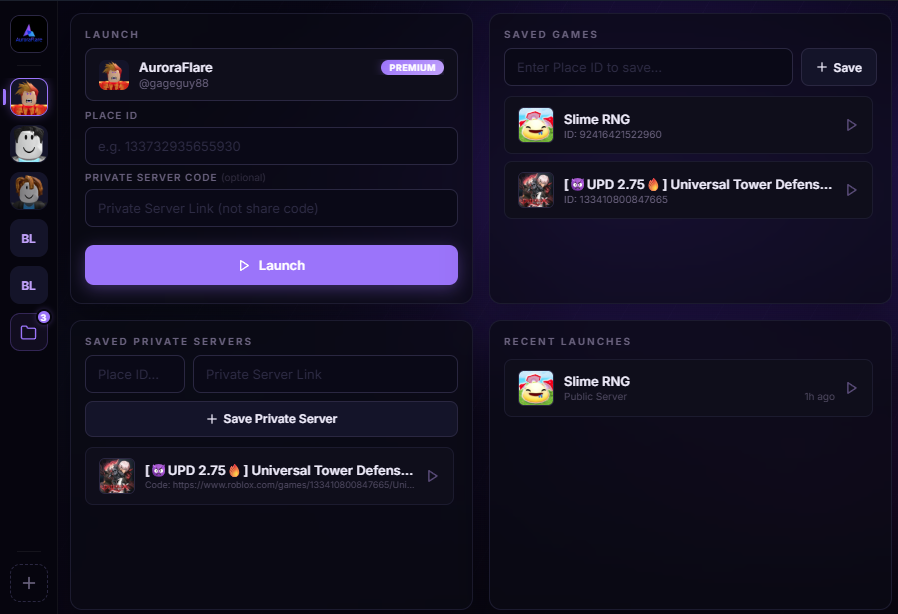
Bookmark saved games and private servers, launch instantly, and browse your recent launch history — all from one tab.
Launch Logs
Real-time process events, connection statuses, and error details for every launch attempt — searchable and copyable.
Online Friends
See where your friends are playing right now and quick-join their server in one click.
Remote View Premium
Stream your screen securely to any device with local, peer-to-peer encoding.
Running Instances Premium
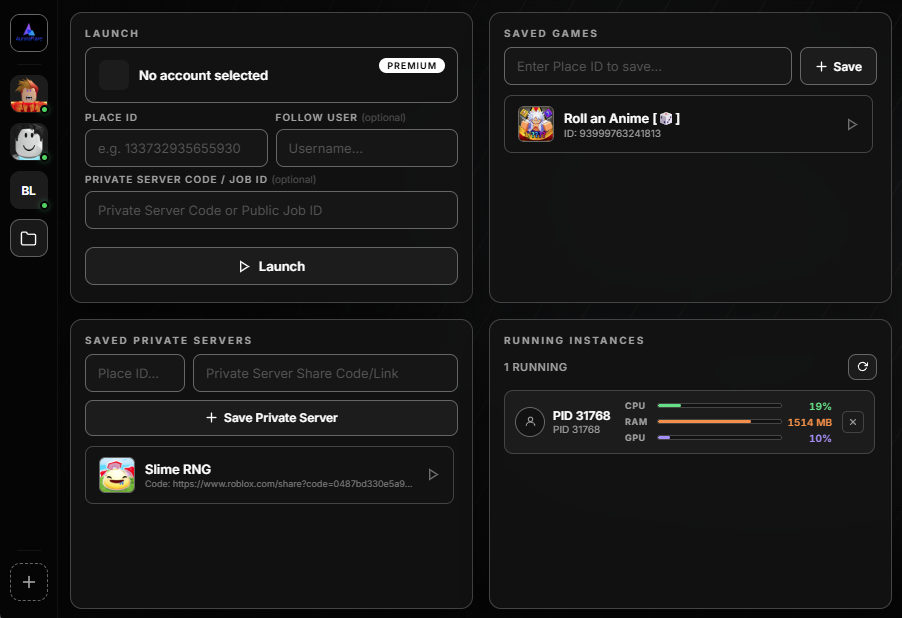
Live CPU, RAM, and GPU stats per running client, with a quick process-kill trigger.
How tabs work
Your dashboard is a live tab bar — open, reorder, and close tabs on the fly, just like a browser.
1
Click the + at the end of the tab bar and pick a panel — Launch, Logs, Remote View, and more.
2
Drag any tab left or right to reorder the bar exactly how you like it.
3
Click the × on a tab to close it, or right-click for quick actions like Close Tab and Close Other Tabs.

Unlock advanced utility tools

The core app is free. Premium unlocks advanced automation and monitoring tools designed for managing larger numbers of sessions.

Discord Webhook Notifications
Receive real-time Discord alerts when accounts disconnect (including automatic game screenshots), teleport, or join servers. Automatically queues logs when offline and sends them when your connection returns.
Folders, Groups & Window Coordinator
Sort your sidebar accounts into named groups to batch-launch accounts together with automated delay spacing. Access a dedicated layout editor panel to visually map, position, and resize window dimensions across multiple displays before launch.
Window Layout Coordinator
Per-Account FPS Cap
Throttle background clients to save system resources. Set an individual framerate limit for each account to override the global setting. Limit background sessions to 5 or 10 FPS while keeping your primary screen smooth.
Roblox Window Renaming
The application monitors launched PIDs and renames their window title text from "Roblox" to their active account username. This allows you to identify specific sessions easily in your taskbar and Task Manager.
Running Instances Tab
An interactive dashboard monitor that maps running clients to their parent account, showing real-time CPU percentages, working memory, and GPU usage bars. Includes a quick process-kill trigger.
Live Monitor statistics
Custom Theme Color Creator
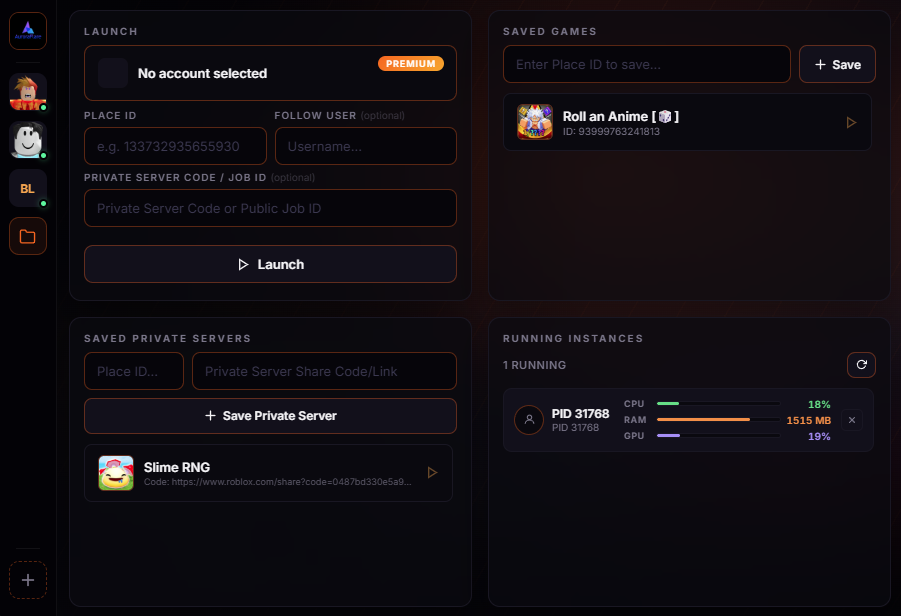
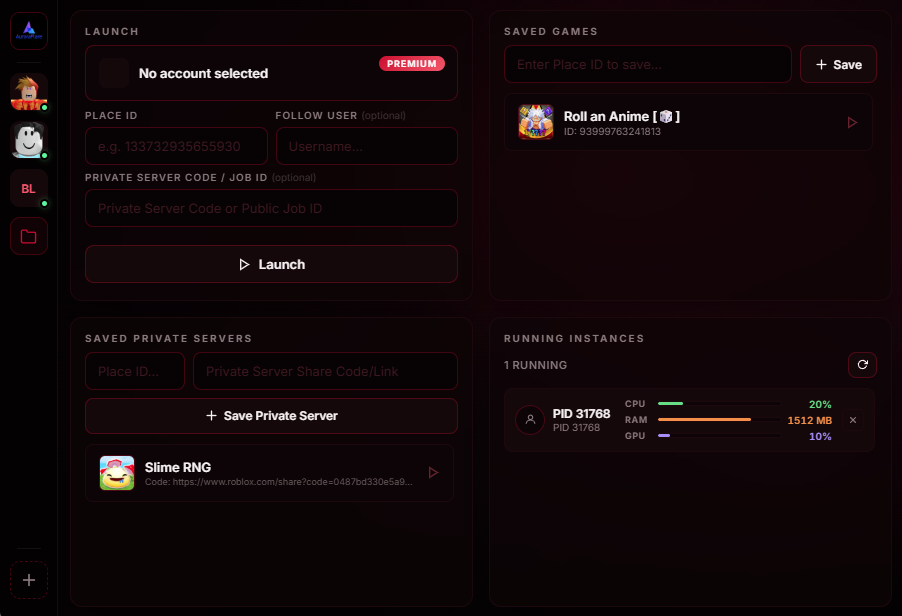
Personalize the dashboard styling. Unlocks color selectors in the appearance panel to set custom Hex codes for the application background, sidebar layout, glow accents, and text elements.
Custom styling designer
Remote Screen Streaming
Stream your desktop screen to secondary screens like mobile devices, tablets, or laptops. High-performance WebRTC peer-to-peer connections deliver low-latency video without routing your data through external servers.
BloxMulti Premium
Monthly Access
$3 / mo
Lifetime License
$15 one-time
Choose your plan inside the desktop application upgrade menu. All plans unlock complete features immediately.
Discord Webhook Alerts & Screenshots
Remote Screen Streaming
Folders, Groups & Window Spawn Coordinators
Per-Account FPS Cap
Window Title Renaming
Interactive Resource Monitor
Theme Palette Creator
See Upgrade Plans
Upgrade directly from inside the desktop app after logging in.

Ready to launch?

Download BloxMulti to coordinate your client instances.

Windows 10 / 11
v1.3.4
Download BloxMulti
Requires Windows 10 or later  ·  ~1.4 MB  ·  Portable Executable